
If you’re feeling overwhelmed by recurring charges, you’re not alone. Many Americans are searching for ways to cancel unwanted subscriptions US, but the process can feel confusing and time-consuming. Subscription services—ranging from streaming platforms and fitness apps to meal kits and cloud storage—have become a routine part of daily life. Yet, it’s shockingly easy to lose track of what you’re paying for, especially when small charges slip through unnoticed. This comprehensive guide will walk you through every step to audit, identify, and cancel unwanted subscriptions in the US, helping you save money and regain control of your finances.
Why Subscription Services Add Up Fast
Subscription-based business models are everywhere. Companies love them because they create predictable revenue, and consumers are drawn in by convenience, free trials, and the promise of flexibility. But that convenience can quickly become a financial trap. Here’s why:
- Automatic Renewals: Most subscriptions renew by default, often with little or no warning.
- Free Trials That Convert: Many services offer free trials that automatically turn into paid plans unless you cancel in time.
- Small, Frequent Charges: Charges of $5, $10, or $15 may seem minor, but they add up fast—especially when multiplied across several services.
- Multiple Categories: From entertainment and news to fitness, shopping, and productivity, it’s easy to sign up for more than you realize.
According to consumer surveys, the average American underestimates their monthly subscription spending by a significant margin. It’s common to discover you’re paying for services you haven’t used in months—or even years.
The True Cost: Hidden Fees and Recurring Charges
When you audit your subscriptions, it’s not just the obvious monthly or annual fees you need to watch for. Many US consumers are caught off guard by hidden costs, such as:
- Activation or Setup Fees: Some services charge a one-time fee when you first sign up.
- Upgrade or Add-On Charges: Features or premium content may cost extra, and these charges can be recurring.
- Price Increases: After a promotional period, your rate may jump—sometimes without clear notice.
- Taxes and Processing Fees: These can be tacked on at checkout or renewal.
- Late Cancellation or Early Termination Fees: Some services penalize you for canceling before the end of a contract or billing cycle.
Companies often make cancellation intentionally difficult, hoping you’ll give up or forget. Recognizing these tactics is crucial for effective subscription management and to successfully cancel unwanted subscriptions US.
Step 1: Gather Your Financial Statements
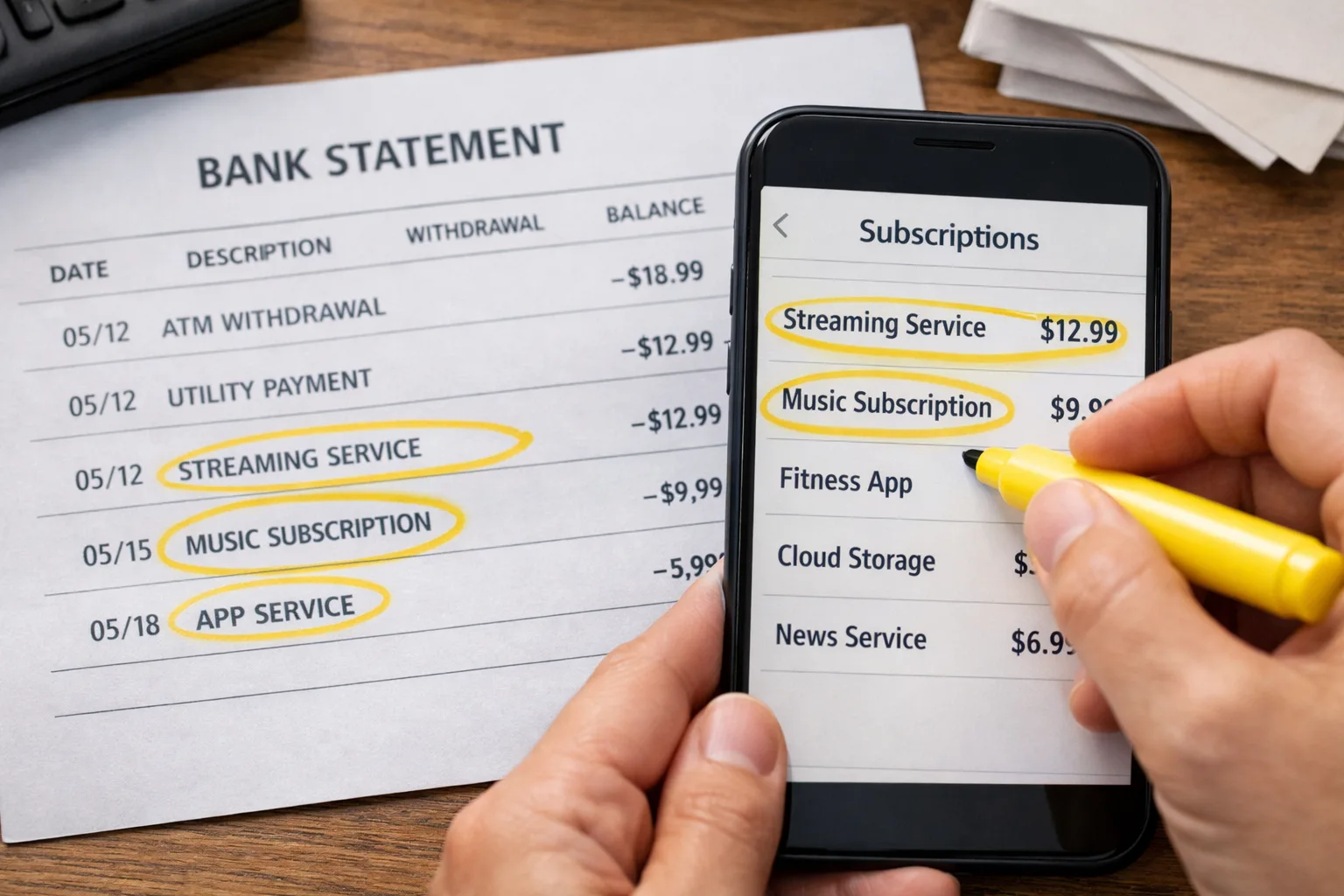
The first step to cancel unwanted subscriptions US is to get a clear view of your spending. Collect your most recent bank and credit card statements—ideally covering the last three to six months. This period will help you spot both monthly and annual charges. Don’t forget to check payment apps like PayPal, Apple Pay, Google Pay, and even Venmo, as many subscriptions are billed through these platforms.
- Download digital statements: Use your bank’s website or app to access PDFs or spreadsheets for easy searching.
- Search for keywords: Use terms like “subscription,” “renewal,” “membership,” or “recurring” to find relevant charges.
- Highlight unfamiliar or repeating charges: Even small amounts can indicate a subscription.
- Check for annual renewals: These are easy to overlook since they only appear once a year.
Tip: Some banks let you filter transactions by merchant or set up alerts for recurring payments. Take advantage of these features if available.
Step 2: Make a Master List of Subscriptions
As you review your statements, create a comprehensive list of every subscription you find. This master list will be your roadmap for deciding what to keep, cancel, or investigate further. Include the following details for each service:
- Name of the service or company
- Amount charged
- Billing frequency (monthly, yearly, etc.)
- Date of the next renewal
- Payment method (which card or account)
- Purpose or category (e.g., streaming, fitness, shopping, productivity)
You can use a spreadsheet, a notebook, or a subscription management app—whatever helps you stay organized. If you’re sharing subscriptions with family or roommates, note who uses each service. This will help you avoid canceling something someone else relies on.
Example:
| Service | Amount | Frequency | Next Renewal | Payment Method | Category |
|---|---|---|---|---|---|
| Netflix | $15.49 | Monthly | 04/15/2024 | Visa ending 1234 | Entertainment |
| Amazon Prime | $139 | Yearly | 12/01/2024 | Mastercard ending 5678 | Shopping |
| Peloton App | $12.99 | Monthly | 04/20/2024 | PayPal | Fitness |
Step 3: Spotting Hidden and Forgotten Subscriptions
Some subscriptions are easy to overlook, especially if you signed up months or years ago. Here’s how to spot the ones that might slip through the cracks:
- Old Free Trials: Did you sign up for a free trial and forget to cancel? Many trials convert to paid plans automatically.
- Parent Company Billing: Some charges appear under a parent company’s name, not the brand you recognize. For example, a magazine subscription might bill under a publishing group.
- In-App Subscriptions: Check your Apple ID or Google Play account for app-based subscriptions, which may not show up as separate charges on your bank statement.
- Annual Renewals: These can be especially sneaky. If you signed up for a service last year, it might auto-renew without a reminder.
- Shared or Family Plans: Are you still paying for a service you set up for a roommate, ex-partner, or family member?
- Bundled Services: Some companies bundle multiple subscriptions together (e.g., phone plans with streaming services). Make sure you know what’s included and what’s extra.
If you see a charge you don’t recognize, search the company name online or in your email inbox. Look for confirmation emails, welcome messages, or receipts. Sometimes, charges appear under cryptic billing descriptors—don’t be afraid to dig deeper.
Scenario: You notice a $9.99 charge every month labeled “ABC Digital.” A quick search reveals it’s a news subscription you signed up for during a promotional offer but haven’t used in months.
Step 4: Decide What to Cancel, Pause, or Keep
With your master list in hand, it’s time to make decisions. Use these questions to guide you:
- When did I last use this service? If you haven’t logged in or used the benefit in the last month or two, it’s a candidate for cancellation.
- Is there overlap? Are you paying for multiple services that do the same thing (e.g., several streaming platforms, multiple cloud storage providers)?
- Can I downgrade or pause? Some services let you pause your subscription or switch to a cheaper plan instead of canceling outright.
- Are there cancellation fees? Check the terms—some annual plans or contracts charge a fee for early cancellation.
- Do I need this now? Your needs change. What made sense last year might not fit your current lifestyle or budget.
Tip: If you’re unsure, set a calendar reminder to revisit the decision in a month. Sometimes, just the act of reviewing your list helps you realize what you truly value.
Example: You’re paying for both Spotify and Apple Music, but only use one regularly. Cancel the one you use less, or see if you can get a family or student discount on your preferred service.
Step 5: How to Cancel Unwanted Subscriptions in the US
Now that you’ve identified what to cut, it’s time to actually cancel unwanted subscriptions US. The process varies by service, but here’s how to handle the most common scenarios:
Online Account Cancellations
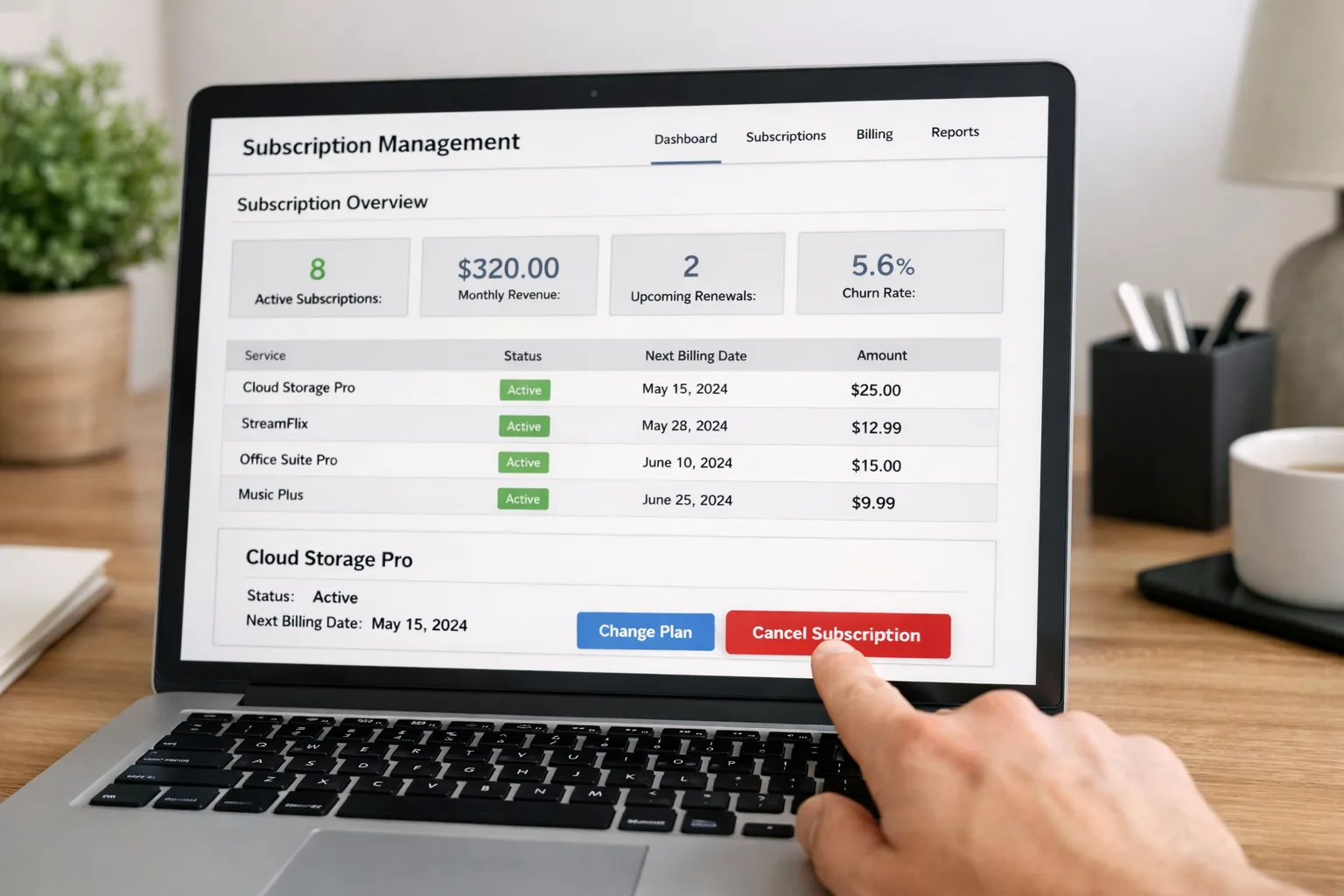
- Log in to your account on the service’s website or app.
- Navigate to “Manage Subscription,” “Billing,” or “Account Settings.”
- Look for a “Cancel Subscription” or “End Membership” option. Follow the prompts.
- Some services require you to confirm via email or phone. Complete any extra steps.
Tip: Take screenshots or save confirmation emails for your records.
App Store Subscriptions
- Apple: Go to Settings > [Your Name] > Subscriptions. Find the service and tap “Cancel Subscription.”
- Google Play: Open the Play Store app, tap your profile icon, go to Payments & Subscriptions > Subscriptions, and cancel from there.
App store subscriptions often renew automatically unless you cancel through the store—not just by deleting the app.
Subscriptions via Payment Apps
- Check PayPal, Apple Pay, or Google Pay for recurring payments. Cancel directly in the payment app if possible.
- For PayPal, go to Settings > Payments > Manage Automatic Payments.
Direct Customer Service
- Some companies require you to call, email, or even mail a cancellation request. Be persistent and ask for written confirmation.
- If you’re stuck, search the company’s help center for cancellation instructions or look for a “Contact Us” page.
Caveat: Always read the cancellation policy. Some services require notice before the next billing cycle or may charge a final fee. If you cancel mid-cycle, you may still have access until the end of the period, but check for exceptions.
Step 6: Confirm Cancellations and Watch for Recurring Charges
After you cancel unwanted subscriptions US, don’t assume the job is done. Always:
- Save confirmation emails, screenshots, or reference numbers.
- Mark your calendar for the next billing date to ensure the charge doesn’t reappear.
- Monitor your bank and credit card statements for at least two billing cycles.
If you see another charge after canceling, contact the company immediately. Provide your cancellation confirmation and request a refund. If the company is unresponsive, dispute the charge with your bank or credit card provider.
Annual Subscriptions: If you cancel an annual plan partway through, check if you’re eligible for a partial refund. Some companies prorate unused months, but others do not unless you specifically request it.
Step 7: Prevent Future Unwanted Subscriptions
Once you’ve cleaned up your current subscriptions, take steps to avoid repeating the cycle:
- Set calendar reminders: For trial expirations and renewal dates, especially for annual plans.
- Use a dedicated email address: Sign up for subscriptions with a separate email so you can easily search for confirmations and renewal notices.
- Opt for monthly billing: If you’re unsure about a service, choose monthly payments over annual commitments. It’s easier to cancel and reduces the risk of forgotten renewals.
- Review statements regularly: Make it a habit to scan your bank and credit card statements each month for new or unexpected charges.
- Set up alerts: Many banks and credit cards let you set up notifications for recurring payments or charges over a certain amount.
Tip: Before signing up for a new service, ask yourself if you really need it and how it fits into your budget. Consider setting a “subscription cap” to limit total monthly spending on recurring services.
Using Subscription Management Tools in the US
There are several apps and services designed to help US consumers manage and cancel unwanted subscriptions US. These tools connect to your bank accounts and credit cards, automatically identify recurring charges, and sometimes even handle cancellations for you. Popular options include:
- Rocket Money (formerly Truebill): Tracks subscriptions, negotiates bills, and offers cancellation assistance for some services.
- Trim: Identifies recurring payments and can send cancellation requests on your behalf.
- Mint: Tracks spending and helps you spot recurring charges, though it doesn’t cancel subscriptions directly.
Pros: Saves time, helps you catch overlooked subscriptions, and provides a central dashboard for tracking.
Cons: Some tools charge for premium features or take a percentage of your savings. Always review privacy policies, as these apps require access to your financial data. Manual review is still important—no app catches everything, especially if you pay by check, cash, or through less common platforms.
Scenario: You use Rocket Money to scan your accounts and discover a recurring charge for a meditation app you forgot you signed up for during the pandemic. The app helps you cancel it in a few clicks.
Common Mistakes When Canceling Subscriptions
Even the most diligent consumers can make mistakes when trying to cancel unwanted subscriptions US. Here are some pitfalls to avoid:
- Deleting the app instead of canceling: Removing an app from your phone does not cancel the subscription. You must cancel through your account or the app store.
- Not checking for confirmation: Always get written or digital confirmation of your cancellation.
- Missing annual renewals: Because they’re billed infrequently, annual subscriptions are easy to forget.
- Overlooking parent company billing: Charges may appear under a different name than the service you recognize.
- Forgetting to cancel before the next billing cycle: Many services require notice before your renewal date. Cancel early to avoid unwanted charges.
- Assuming all cancellations are immediate: Some services let you use the remainder of your billing period, while others stop access right away. Know what to expect.
Tip: Keep a running list of canceled subscriptions and check it against your statements each month for peace of mind.
What to Do If You Still See Charges
Sometimes, even after you cancel unwanted subscriptions US, charges continue. Here’s what to do:
- Contact the company: Provide your cancellation confirmation and request an immediate refund.
- Dispute the charge: If the company is unresponsive, contact your bank or credit card provider to dispute the payment. Provide documentation.
- Block future charges: In extreme cases, you may need to request a new card number to prevent unauthorized recurring payments.
- Escalate if needed: If you can’t resolve the issue, file a complaint with your state’s consumer protection office or the Federal Trade Commission (FTC).
Tip: Keep records of all correspondence, including emails, chat logs, and phone call details. Persistence pays off—don’t let companies wear you down.
Frequently Asked Questions (FAQs)
Can I get a refund for unused months after canceling?
It depends on the company’s policy. Some prorate refunds for unused time, especially for annual plans, but many do not unless you request it. Always ask.
What if I can’t remember my login information?
Use the “Forgot Password” feature on the service’s website or app. If you no longer have access to the email you used, contact customer support with proof of payment.
Are there services that will cancel subscriptions for me?
Yes, some subscription management apps offer cancellation assistance, but results vary. For tricky or stubborn services, you may still need to contact the company directly.
How can I avoid signing up for unwanted subscriptions in the future?
Be cautious with free trials, read the fine print, and set reminders for trial end dates. Use a virtual credit card or a prepaid card for trials if possible.
Final Thoughts: Take Control and Save
Learning how to cancel unwanted subscriptions US is one of the simplest and most effective ways to stop recurring charges and cut hidden fees from your monthly budget. By auditing your accounts, making informed decisions, and staying vigilant, you can regain control of your finances and ensure your money is only going toward services you truly value. Make subscription management a regular part of your financial routine, and you’ll be surprised at how much you can save—both now and in the future.