If your workday feels like an endless loop of switching browser tabs, dismissing notifications, and rearranging items in bloated project management apps, you are not alone. Modern knowledge work is heavily digital, but digital tools often introduce friction rather than removing it. When updating your task tracker requires navigating three submenus, loading screens, and ignoring a dozen red notification badges, the tool becomes a distraction. Implementing an analog productivity workflow index cards system offers a refreshing alternative that strips away digital noise and restores genuine focus to your daily routine.
Moving your task management to physical paper is not about nostalgia or rejecting technology wholesale. It is an intentional act of digital hygiene. Physical cards have strict spatial limits, cannot send push notifications, and require deliberate physical motion to update. This friction is actually an advantage: it forces you to evaluate whether a task is truly worth writing down, let alone executing. Below is a complete blueprint for ditching app fatigue and building a resilient offline task management system.
The Core Philosophy of Physical Task Management
Digital apps encourage infinite accumulation. You can create endless subtasks, assign complex tags, attach files, and push deadlines into the nebulous future without consequence. Your backlog becomes a digital graveyard where tasks go to linger indefinitely. Paper, by contrast, possesses finite physical reality.
An index card has two sides and limited surface area. You cannot cram fifty tasks onto a three-by-five-inch card without making it illegible. This constraint forces prioritization. When you adopt a paper task management system, you accept a core rule: if it does not fit on your active working board, you cannot work on it today. This limitation aligns your planning with human cognitive limits rather than software capabilities.
Furthermore, cognitive science demonstrates that writing information down by hand engages different neural pathways than typing on a keyboard. The physical act of forming letters forces your brain to process semantic meaning rather than skimming abstract symbols on a glowing monitor. When you physically write out a deliverable, you anchor your intent in the physical world, making it significantly harder to ignore or casually reschedule.
Essential Supplies for Your Analog System
You do not need expensive stationery to build a functional offline workflow. In fact, keeping your materials simple prevents the setup from becoming another productivity distraction. Gather the following basic items:
- Index Cards: Standard 3×5-inch or 4×6-inch unruled or lined white index cards. Unruled cards offer more flexibility for sketching quick mind maps or breaking tasks into small steps.
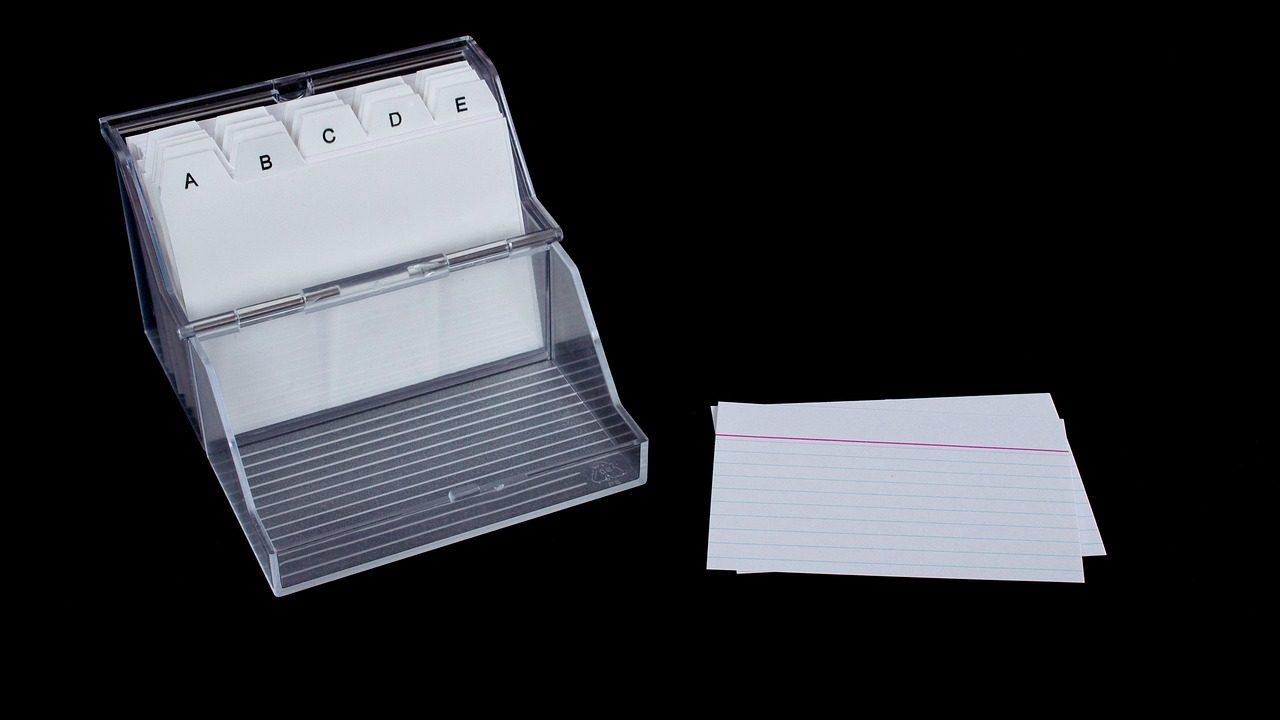
- A Card Box: A simple wooden, plastic, or metal box that comfortably holds your cards. Look for something with a lid to keep dust out and portability high.
- Divider Tabs: Simple tabbed cards to separate your box into functional categories.
- Reliable Writing Instruments: Use a pen or pencil you actually enjoy writing with. If your pen skips or feels uncomfortable, you will resist the physical act of logging tasks.
Avoid buying elaborate leather-bound binders or specialized card systems until you have tested the basic routine for at least two weeks. Your primary goal is functional friction reduction, not aesthetic perfection on social media.

Structuring Your Offline Task Tracking Workflow
To keep your system from descending into chaos, establish a clear structural hierarchy within your card box. A functional offline task tracking workflow typically relies on four primary sections divided by tabs:
- Inbox: A holding area for new tasks, random ideas, and requests that arrive throughout the day. When someone drops a new requirement on your desk or in your email, jot it down on a scratch card and drop it into the Inbox.
- Today: The beating heart of your system. This section holds your active index card for the current day. Ideally, this card contains no more than three to five high-impact tasks.
- Backlog: Longer-term projects, waiting-for items, and tasks slated for later in the week or month. These cards remain filed away until you perform your weekly review.
- Archive: Completed cards or reference notes you want to keep for historical tracking, performance reviews, or quarterly reporting.
This layout ensures your active workspace remains uncluttered while keeping your wider responsibilities safely captured in one searchable physical location. When you sit down in the morning, you do not have to search across multiple browser tabs to find out what matters; you simply open your box and look at your daily card.
The Daily Review Interval: Starting and Ending Your Day
An analog system fails if you treat it like a static to-do list written on a napkin. It requires active maintenance through predictable daily review intervals. Establishing these bookends to your workday keeps the system accurate and trustworthy.
The Morning Setup
Spend five minutes every morning reviewing your Inbox and Backlog. Pull out a fresh index card and write down the specific outcomes you intend to accomplish today. Do not migrate every lingering item from yesterday; look at what is genuinely urgent and important. Place your daily card in a visible spot on your desk—propped against your monitor or held in a simple card stand. This becomes your North Star for the day. When distractions arise, glance at the card to remind yourself of your primary commitments.
The Evening Shutdown
At the end of your workday, spend three minutes cleaning up your physical workspace. Check off completed items on your daily card. Transfer unfinished, still-relevant tasks to a new card for tomorrow, or slide them back into the Backlog if priorities have shifted. Toss obsolete notes into the recycling bin. Starting the next morning with a clean slate prevents morning friction and anxiety, allowing you to disconnect fully from work during your off-hours.
Enforcing Physical Capacity Limits
The single greatest advantage of index cards over digital apps is the enforcement of natural capacity limits. When you open a digital task manager, seeing 200 overdue tasks induces immediate overwhelm. With paper, you physically cannot see 200 tasks at once unless you spread them across your entire floor.
Adopt the Rule of Three for your daily working card. You may list as many small administrative housekeeping items as you like on the back of the card, but your front-facing primary objectives should not exceed three distinct, meaningful items. If you finish those three items early, you can pull another card from your Backlog. If you fail to finish them, examine why before beating yourself up. Often, tasks written on paper reveal their actual complexity far faster than digital entries.
When a task feels too large to fit comfortably on a single line, it is a signal that your task granularity is off. Break that objective down into three smaller sub-tasks on the same card. For example, instead of writing “Write Q3 Report,” write “1. Outline Q3 data points, 2. Draft executive summary, 3. Format charts.” This micro-chunking lowers the psychological barrier to starting difficult work.
Handling Interruptions and Ad-Hoc Requests
Remote professionals and knowledge workers are constantly bombarded with ad-hoc requests via chat apps, email, and unscheduled calls. When an urgent request lands on your desk, your immediate instinct might be to abandon your current work. Your analog workflow helps you manage this disruption gracefully.
Keep a dedicated scratch card right next to your keyboard. When an interruption occurs, write the request down immediately on the scratch card, note the requester’s name, and assign it a quick context tag (e.g., “Email Sarah by 3 PM”). This externalization clears your working memory instantly. You can then look at your active daily card and decide whether the interruption truly supersedes your current focus or if it belongs safely in your Inbox for processing during your next review interval.

The Bullet Journal Alternative for Work Settings
Many professionals love the idea of the Bullet Journal method but find the artistic spreads, elaborate key systems, and index maintenance too time-consuming for a busy corporate or freelance schedule. Using an index card system functions as a streamlined bullet journal alternative for work environments.
Instead of maintaining a bound notebook where mistakes require cross-outs or correction fluid, index cards provide modular flexibility. If a project gets canceled, you throw the card away. If a task needs to be reordered, you simply shuffle the physical cards in your box. You retain the mindfulness and intentionality of handwriting your tasks without the administrative overhead of maintaining a complex notebook structure.
Adapting the Analog Workflow for Remote and Hybrid Teams
While an analog system is inherently personal, it can easily coexist within a collaborative team environment. Most remote teams require digital communication channels and shared tracking boards for transparency. The key is separating your personal execution layer from team broadcast layers.
Let team collaboration software live on your employer-mandated channels, but use your index card box as your personal filter. When a project manager updates a shared board, extract only the actionable deliverables that apply to you and write them onto your physical cards. This protects you from the constant background noise of team-wide status updates, comment threads, and circular discussions that drain your daily attention span.
Archival Protocols and Weekly Reviews
Once a week—typically on Friday afternoon or Monday morning—spend fifteen minutes reviewing the contents of your card box. This weekly review prevents your Backlog from becoming a dumping ground of forgotten intentions.
Go through your Backlog cards one by one. Ask yourself three questions:
- Is this task still relevant to my current goals?
- Can this task be delegated or dropped entirely?
- Does this need to stay in the Backlog, or should I pull it into next week’s planning?
Move completed cards from the week into your Archive section. If you track billable hours, project milestones, or personal achievements, these archived cards serve as an accurate, tactile record of your actual output over the quarter. When performance review season arrives, flipping through your physical archive provides concrete evidence of your contributions without needing to dig through months of sent emails and chat logs.
Common Pitfalls and How to Avoid Them
Transitioning away from software can trigger temporary discomfort. Watch out for these common missteps when starting your analog journey:
- Overcomplicating the System: Do not buy color-coded tabs, highlighters, and stamps on day one. Start with plain cards and a black pen. Add complexity only when you experience a specific workflow bottleneck that demands it.
- Hiding Your Cards: If your card box lives inside a drawer, you will forget to look at it. Keep your active daily card visible on your desk where your eyes naturally fall when you sit down.
- Failing to Review: A task management system is only as good as its maintenance. Skipping your daily and weekly reviews leads directly back to a pile of ignored paper notes. Treat these review intervals as non-negotiable appointments with yourself.
Frequently Asked Questions About Paper Task Management
Do I need to abandon all digital tools completely?
No. An analog workflow is designed to manage your personal task execution, not replace specialized software like version control systems, shared calendars, or collaborative document editors. Use digital tools for collaboration and storage, but keep your daily task list on paper.
What happens if I lose my index card box?
Because your index cards represent short-term execution rather than permanent company records, losing a box is rarely catastrophic. Long-term project requirements and deliverables should always be backed up in your official employer repositories or email archives.
How do I handle recurring daily tasks?
Instead of rewriting recurring daily habits (like checking morning mail or reviewing team standups) on a fresh card every single day, keep a dedicated permanent card at the front of your Today section listing your non-negotiable daily routines.
Conclusion: Reclaiming Focus Through Simplicity
Productivity is not about how many tasks you can capture; it is about how much meaningful work you can actually execute. By shifting your daily planning from glowing screens to physical index cards, you eliminate notification loops, tame app fatigue, and restore a sense of calm control to your workday. Start small: grab a stack of cards, write down three priorities for tomorrow morning, and experience the clarity of an offline workflow.