
When you turn off your television, soundbar, and gaming console with the remote, they do not actually stop consuming electricity. They enter standby mode, waiting for a signal from your clicker, keeping internal clocks running, or maintaining network connections. This invisible current is known as phantom energy, or vampire draw. For years, consumer advocates have pointed to smart power strips phantom energy savings as a straightforward fix. But before you replace every basic power strip in your house, it helps to examine whether these specialized controllers actually make a measurable dent in your monthly electric bill compared to simply unplugging gear by hand.
Understanding the true mechanics of standby power requires looking at how modern household electronics operate. In this comparison, we look at the financial outlay, convenience factor, and energy-reduction potential of smart switching strips versus the timeless strategy of pulling the plug yourself.
What Is Phantom Energy and Where Does It Hide?
Phantom energy refers to the electricity consumed by electronics and appliances while they are switched off or in standby mode. Across an entire American home, these hidden loads can account for a noticeable percentage of annual residential electricity use, though the exact figure varies wildly depending on how many connected devices you own.
The primary culprits are rarely simple kitchen appliances with mechanical switches. Instead, they are devices with digital displays, remote controls, soft-touch power buttons, external power bricks (often called wall warts), and network capabilities. Cable boxes, satellite receivers, streaming sticks, gaming consoles, AV receivers, and smart speakers are notorious offenders because they maintain active internal components to ensure instant startup times.
While an individual device might only draw one to five watts in standby mode, multiply that across a complex home entertainment center containing a TV, sound system, subwoofer, streaming box, and console, and the baseline draw climbs steadily. Over the course of a year, that continuous trickle adds up to kilowatt-hours you never actually use.
To put this in perspective, consider how different rooms contribute to the cumulative load. In the living room, an entertainment center with an older AV receiver, a cable box that never truly sleeps, and a smart TV can easily pull 20 to 30 watts continuously when supposedly turned off. In the home office, a desktop computer, external monitors, laser printer, and USB charging hubs maintain standby states that quietly drain power overnight and during weekends when nobody is working. Even the kitchen and bedroom harbor small draws from microwave clocks, coffee makers with digital displays, and bedside charging blocks.
Recognizing where these loads hide is the first step toward effective mitigation. However, knowing they exist is different from proving that purchasing specialized hardware is the most cost-effective remedy. Many homeowners jump straight to buying smart strips without first auditing whether their specific devices actually justify the expense.
How Smart Power Strips Work
To combat this background drain, manufacturers developed specialized power strips designed to cut power automatically. The market generally splits into three distinct categories:
- Timer-based strips: These cut power to specific outlets based on a programmed schedule, making them useful for items you only use at certain times of day.
- Current-sensing (or master-controlled) strips: These feature a designated ‘control’ outlet. When you turn off your primary device—such as a television—the strip senses the drop in current and automatically kills power to the peripheral outlets supplying your soundbar, game console, and media player.
- Smart Wi-Fi strips: Connected to your home wireless network, these allow you to set schedules, use voice assistants, or control individual outlets via smartphone apps, regardless of whether a master device is powered down.
By automating the disconnect process, these devices promise to deliver the benefits of unplugging without the daily physical annoyance of crawling behind an entertainment center. Yet, understanding their internal mechanics reveals that not all strips are engineered equally, and choosing the wrong type for your specific configuration can lead to frustration or hardware incompatibility.
Current-sensing strips rely on precise amperage thresholds. When the master device transitions from active use to deep standby, the drop in current must cross a specific trigger point for the relay switch to open and cut power to the controlled outlets. If your television maintains a relatively high standby draw—perhaps due to background network polling or tuner activity—the strip might not recognize that the TV has been turned off, leaving your peripherals fully energized. Conversely, smart Wi-Fi strips bypass this limitation by relying on programmed schedules or direct network commands, but they introduce their own operational variables, including the requirement of a stable home wireless connection and a modest parasitic energy draw to keep their internal Wi-Fi radios active around the clock.
Manual Unplugging vs. Automated Strips: The Convenience Factor
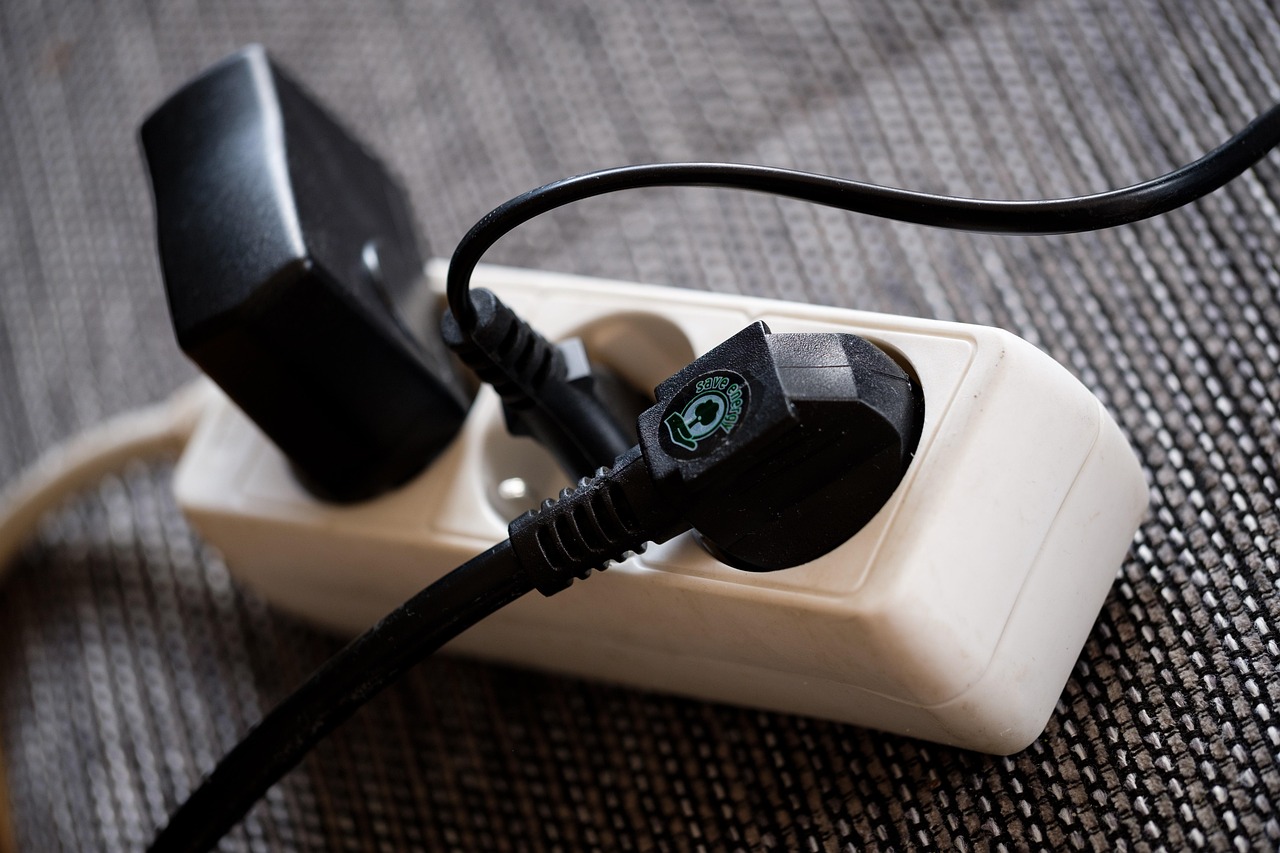
The core argument for smart power strips comes down to friction. If your goal is absolute energy savings, manual unplugging is technically free and 100% effective. When a plug is physically pulled from the wall, the current drops to precisely zero.
However, human behavior rarely aligns with optimal efficiency. Crawling behind a heavy media console to unplug a half-dozen rigid power cords every time you finish watching a movie is tedious. In practice, most homeowners do it once or twice, find it annoying, and abandon the habit entirely. Smart power strips eliminate this behavioral barrier. Once configured correctly, they handle the disconnection invisibly in the background every single time you turn off your main device.
That convenience has a direct financial cost, though. Basic surge protectors cost a few dollars, whereas current-sensing or smart-enabled strips command a much higher price tag. Furthermore, advanced smart strips with Wi-Fi connectivity consume a small amount of standby power themselves to maintain their network connection—usually around one to two watts continuously. While small, this parasitic draw slightly offsets the savings generated by shutting down your peripherals.
Beyond pure financial math, the convenience factor also encompasses operational quirks. Manual unplugging introduces mechanical wear and tear on both the wall receptacles and the plug prongs, though this is generally minimal over years of use. On the other hand, automated strips introduce potential points of failure, such as relay wear from frequent switching cycles or firmware glitches in smart Wi-Fi models that require occasional re-pairing with your home network. Weighing these qualitative factors against raw utility savings helps clarify whether automation is truly warranted for your living situation.
Analyzing the Financial Return on Investment
To determine if these devices are financially worthwhile, you have to run a basic math equation based on local utility rates and the actual wattage of your gear.
Suppose your entertainment center peripherals draw a combined total of 15 watts in standby mode. If left on standby 24 hours a day, 365 days a year, that continuous draw equals roughly 131 kilowatt-hours annually. At a national average electricity rate of around 16 cents per kilowatt-hour, that standby load costs about $21 per year.
If a specialized current-sensing power strip costs $25 to $40 upfront, it will take roughly one to two years just to recoup the hardware cost through energy savings alone. If your standby draw is lower—say, five watts total—the annual savings drop to around $7, meaning it could take five years or more to break even. For simpler setups, the financial payback period can stretch past the expected lifespan of the power strip itself.
To make an informed purchasing decision, calculate your specific figures rather than relying on generalized averages. Start by noting the standby wattage listed on the nameplates or user manuals of your peripheral devices. If documentation is unavailable, using an inexpensive plug-in watt meter for 24 hours will yield precise empirical data. Multiply the total standby wattage by 8,760 (the number of hours in a year), divide by 1,000 to convert watt-hours to kilowatt-hours, and multiply by your local utility rate per kilowatt-hour found on your most recent electric bill. If the resulting annual dollar amount is less than $10, an expensive smart strip will offer virtually no measurable financial return, making a standard manual switch or basic surge protector a more rational purchase.
Potential Pitfalls and Compatibility Issues
Deploying smart power strips is rarely as foolproof as plugging them in and walking away. Several common technical snags can undermine their effectiveness:
- Modern TV standby behavior: Many modern smart TVs draw power even when turned off to download background software updates, maintain quick-start casting features, or listen for voice commands. If your TV never truly drops its standby current to zero, a current-sensing master strip may fail to trigger the shutdown sequence for your peripherals.
- Standby clocks and DVRs: Devices that need continuous power to record scheduled television shows or maintain internal memory clocks cannot be plugged into switched outlets, or you will lose critical functionality.
- Data corruption risks: Cutting total power abruptly to certain external hard drives, network-attached storage devices, or gaming consoles before they have completed proper shutdown procedures can lead to corrupted file systems or lost data.
Before automating your setup, you must carefully audit which devices can tolerate a hard power cut and which require constant low-level current.
Another common hurdle involves multi-device ecosystems where the master outlet assignment becomes ambiguous. For instance, if you plug a soundbar into the master control slot instead of the television, turning off the soundbar with its remote might accidentally cut power to the TV while you are still trying to use a secondary streaming device. Ensuring that the primary display or core hub acts as the master controller is critical. Furthermore, users should verify that the total electrical load (in amps or watts) plugged into the power strip does not exceed the manufacturer’s rated capacity, particularly when high-draw items like heavy amplifiers or powered subwoofers are part of the equation.
Best Practices for Maximizing Entertainment Center Efficiency
If you decide to optimize your home entertainment setup, a thoughtful approach yields the best results without causing daily operational frustration.
Start by identifying true vampire loads using a consumer-grade plug-in electricity monitor if you want exact numbers, or simply check the manufacturer specifications on the back of your devices. Group your electronics logically:
- Keep devices that require constant power—such as routers, modems, and DVRs—plugged into a standard, unswitched surge protector or direct wall outlet.
- Assign your television as the master control device on a current-sensing power strip.
- Plug peripherals like soundbars, gaming consoles, and secondary streaming boxes into the switched outlets controlled by that master socket.
- For devices that do not have a clear master-slave relationship but are used infrequently, consider a simple heavy-duty mechanical timer outlet.
This tiered approach ensures your home remains functional and responsive while eliminating wasteful background draw from peripherals that sit idle for the vast majority of the day.
In addition to proper outlet allocation, periodic maintenance of your power management system helps prevent unexpected issues. Inspect your cords annually for signs of wear or pinching behind furniture. If you upgrade your home entertainment system by adding new gaming consoles or swapping out an older television for a newer model, re-evaluate your wattage calculations to ensure the current-sensing threshold remains appropriate for the new hardware combination. Taking these small steps ensures that your energy-saving strategy evolves alongside your technology use.
Making the Final Decision
Are smart power strips worth the investment? The answer depends entirely on your specific hardware configuration and your personal tolerance for manual habits.
If you have a sprawling entertainment center with multiple auxiliary speakers, game consoles, and media players that collectively draw significant standby power—and you know you will never remember to unplug them by hand—a quality master-controlled power strip is a practical, set-it-and-forget-it upgrade that pays for itself over time. However, if your setup consists of just a modern television and a soundbar with low standby draw, the financial return is minimal. In that scenario, manual unplugging or simply accepting the modest standby cost may be the more rational choice.
Ultimately, energy efficiency in the home is rarely about adopting a single silver bullet. It requires a balanced perspective that weighs equipment cost, convenience, and real-world utility savings. By auditing your actual standby loads, understanding how different power strip technologies operate, and configuring your devices thoughtfully, you can eliminate wasteful vampire power draw without sacrificing the seamless operation of your modern home entertainment ecosystem.