
When you spend eight or more hours a day at a home workstation, small physical annoyances compound quickly. A mouse cursor that stutters across a grainy wood veneer, a sharp desktop edge that digs into your forearms during marathon typing sessions, or the persistent clatter of a mechanical keyboard echoing off bare walls can turn an ordinary workday into an exercise in distraction. Implementing a proper desk mat desk setup guide solution is one of the most cost-effective ways to upgrade your physical workspace ergonomics without buying an entirely new desk.
A quality desk pad does much more than simply make your workspace look neat and intentional. It creates a dedicated micro-environment that protects delicate wood and laminate surfaces from scratches, absorbs acoustic resonance, provides a consistent optical tracking plane for your mouse, and cushions the delicate bones of your wrists against hard furniture edges. However, not all desk mats are created equal. Choosing the right material—whether it is natural wool felt, supple leather, or high-performance synthetic polyurethane—depends entirely on your hardware preferences, typing style, and the climate of your home office.
Understanding the Core Purpose of a Desk Pad
Before evaluating specific materials, it helps to understand what a desk pad actually accomplishes in a modern remote work setup. Most office desks are finished with thin wood veneers, high-pressure laminates, or raw solid hardwoods. Over months and years, the constant friction of a plastic mouse underneath your palm, the scrape of keyboard feet, and the impact of coffee mugs gradually wear down these factory finishes. A desk pad acts as a sacrificial buffer, absorbing daily wear and tear while keeping your primary interaction zone smooth and comfortable.
Beyond surface protection, ergonomics plays a massive role. Many desks feature sharp, 90-degree bullnose or squared edges. When you rest your forearms or wrists against these edges while typing, they pinch soft tissue and restrict blood flow, contributing to fatigue and discomfort. A thick desk pad rounds out that hard transition, distributing contact pressure more evenly across your arm. Furthermore, optical and laser mouse sensors require a surface with consistent micro-texture so the internal camera can accurately calculate movement. Glossy tabletops, bare glass, and heavily grained wood can cause tracking jitter, forcing you to constantly lift and reposition your mouse.
When evaluating your home office environment, consider how your desk interacts with your daily routine. If you frequently shift between writing notes on paper, typing on a mechanical keyboard, and navigating complex spreadsheets with a mouse, a unified surface prevents your tools from sliding across abrasive or uneven textures. The psychological benefit of a well-defined workspace is equally powerful; framing your equipment within the clean boundaries of a desk mat creates a mental anchor that separates deep work from leisure.
Comparing Desk Pad Materials: Felt vs. Leather vs. Synthetic
The single most important decision in your desk setup is material selection. Each option offers distinct mechanical properties that interact differently with your skin, your input devices, and your desktop surface.
Wool and Synthetic Felt Desk Pads
Felt pads, particularly those made from 100% Merino wool or high-density recycled polyester felt, are immensely popular among remote professionals who favor a warm, tactile aesthetic. Felt provides exceptional acoustic dampening; it absorbs the high-frequency clack of mechanical switches, making your office quieter during video calls.
- Texture: Soft, fibrous, and warm to the touch. It never feels sticky in humid weather.
- Mouse Tracking: Excellent for modern optical sensors due to the dense, matte fiber matrix.
- Ergonomics: Provides a plush, cushioned feel that relieves wrist pressure.
- Maintenance: Requires gentle vacuuming or spot cleaning; can pill over time if subjected to heavy abrasion.
Wool felt is naturally water-resistant and self-extinguishing, making it a durable choice if treated with basic care. However, households with cats or dogs should note that pet hair can occasionally weave itself into the fibers, requiring an occasional pass with a lint roller.
Full-Grain and Top-Grain Leather Desk Pads
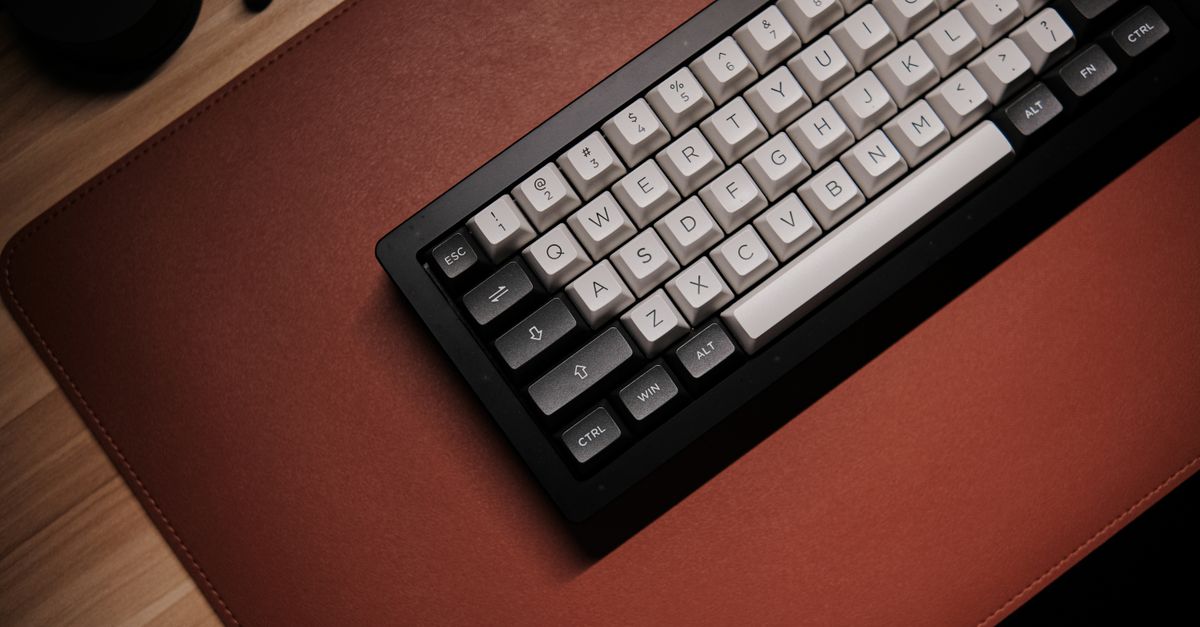
Leather is the gold standard for executive aesthetics and long-term durability. A genuine leather desk pad offers a smooth, controlled glide for mice while developing a rich patina over years of use. It bridges the gap between a traditional leather blotter and a modern oversized desk mat.
- Texture: Smooth, supple, and temperature-neutral. It breaks in gracefully like a good pair of leather shoes.
- Mouse Tracking: Provides a fast, low-friction glide that suits high-DPI mouse users.
- Ergonomics: Firm support with a luxurious tactile feel against the forearms.
- Maintenance: Requires occasional conditioning with leather balm to prevent drying and cracking, though it wipes clean of dust easily.
Full-grain leather retains the natural hide’s imperfections and grain patterns, ensuring that no two desk pads look identical. If you value a professional, sophisticated atmosphere for client-facing video calls, a dark brown or black leather mat immediately elevates the visual weight of your desk.
Polyurethane (PU) and Performance Synthetics
Synthetic materials, usually crafted from polyurethane or vegan leather bonded to a rubberized backing, dominate the market for budget-friendly and waterproof options. These mats are engineered for maximum utility, offering spill resistance and effortless cleaning.
- Texture: Uniform, ultra-smooth, and sometimes slightly rubbery.
- Mouse Tracking: Highly reliable for all optical sensors, though very glossy PU can feel slightly sticky to sweaty palms.
- Ergonomics: Moderate cushioning depending on internal foam layers.
- Maintenance: Highly forgiving. You can wipe spills away instantly with a damp cloth and mild soap.
Synthetics are ideal for heavy multi-taskers who eat and drink at their desks regularly. A spilled cup of coffee or water beads right up on the surface, preventing permanent staining or warping of the material underneath.
Sizing Your Desk Mat for Maximum Utility
One of the most common mistakes remote workers make is buying a desk mat that is simply too small. A standard mouse pad isolates your mouse, leaving your keyboard half on and half off the pad, which creates an annoying height discrepancy and rocks your typing angle.
When measuring your desk, look for mats that span at least 30 inches wide by 15 inches deep, though 36×18 inches or even 48×24 inches are far better for full-size keyboard and mouse combinations. A large format mat allows both your keyboard and mouse to rest entirely on the same plane. This eliminates any awkward drop-off at the edge of the mat and ensures your wrists maintain a neutral, flat angle relative to your input devices.
Consider your monitor stand or monitor arms as well. If your monitor base sits directly on your desk, placing a large desk mat underneath it anchors the entire setup and prevents the stand from scratching the wood. However, if you use heavy clamp-style monitor arms, make sure the edge of your desk mat does not interfere with the secure grip of the C-clamp against the underside of the desktop.
Furthermore, evaluate your physical desk dimensions before purchasing. A giant 48-inch mat on a compact 40-inch standing desk will hang off the edges, leading to premature curling and wear. Conversely, a tiny mat on a massive executive desk will look disproportionate and fail to protect your primary work zones.
Optimizing Mouse Tracking and Friction Coefficients
Optical mouse sensors rely on surface micro-features to track movement. While modern sensors can track on almost anything—including clear glass—they perform best on surfaces with uniform matte scattering characteristics.
If you prefer lightning-fast cursor movements for gaming or multi-monitor spreadsheet navigation, a smooth synthetic or leather surface minimizes kinetic friction. If you prefer high-precision design work where small, deliberate movements matter more than speed, a textured wool felt pad provides micro-resistance that helps you stop your cursor precisely where you want it.
It is also crucial to consider the underside of your desk pad. Look for mats featuring a non-slip backing—such as natural rubber, suede, or silicone dots. A desk mat that creeps across your desktop every time you pull your keyboard closer is a constant source of frustration during deep work sessions.
If your mat tends to slide, check your desktop surface. Smooth laminate and glass desks offer very little mechanical grip for the underside of a pad, making a high-friction rubber backing absolutely essential. Textured wood veneer, on the other hand, provides more natural grip, though a quality backing still prevents micro-shifts during vigorous typing.
Integrating Cable Management and Workspace Aesthetics
A well-chosen desk pad serves as the visual anchor of your desktop landscape. Because it defines your primary work zone, it naturally draws the eye, making cable management critical to the overall effect.
Route your keyboard and mouse charging cables cleanly toward the back edge of the mat. If you use a wired mechanical keyboard, let the braided cable exit neatly past the top edge rather than bunching up underneath the writing surface, which creates an annoying lump beneath your palms.
Color choice matters just as much as material. Dark charcoal felt, saddle brown leather, or matte black synthetic pads absorb light and reduce visual clutter on camera during virtual meetings. Lighter gray or tan tones brighten a room but require more vigilance against coffee rings, ink marks, and natural oils from hands.

To maintain a seamless look, consider matching your desk mat tone with other desktop accessories, such as monitor light bar finishes, headphone stands, and laptop docks. Cohesive styling transforms a collection of disparate gadgets into an intentional, professional workstation.
Maintenance Routines to Extend the Life of Your Desk Pad
Different materials demand specific care routines to maintain their appearance and structural integrity over years of daily remote work.
- Felt Maintenance: Never submerge a large wool felt pad in water, as it can felt further, shrink, or lose its structural shape. Instead, use a soft brush or a low-suction vacuum attachment to remove dust and crumbs. For minor stains, dab with cold water and a mild wool-safe detergent, then lay flat to dry.
- Leather Maintenance: Clean genuine leather surfaces with a slightly damp microfiber cloth to pick up surface dust. Every six to twelve months, apply a specialized leather conditioner to replenish natural oils and prevent the surface from drying out under office lighting or HVAC vents.
- Synthetic Maintenance: Polyurethane and vegan leather mats can be wiped down regularly with a multi-purpose cleaner or mild dish soap solution. Avoid harsh solvents, acetone, or alcohol-based wipes, which can strip away the top protective coating and leave permanent cloudy patches.
Establish a weekly five-minute reset habit. Clearing your desk mat entirely, wiping down the surface according to its material requirements, and repositioning your hardware keeps your workspace sanitary and extends the lifespan of both your mat and your input devices.
Common Setup Mistakes to Avoid
Even with high-end equipment, certain setup errors can undermine your ergonomics and workspace comfort.
- Choosing style over climate: Thick leather mats can feel sticky and warm during hot summer months if your home office lacks air conditioning, whereas wool felt can trap pet hair in households with shedding animals. Match your material to your living environment.
- Ignoring desk depth: Ensure your desk is deep enough to accommodate a large mat without pushing your keyboard so far forward that your elbows float in mid-air. Your elbows should form a comfortable 90-to-100-degree angle with your shoulders relaxed.
- Overlooking thickness: A desk pad that is too thin (under 2mm) offers little acoustic dampening or wrist cushioning, while a pad that is excessively thick (over 6mm) can create an unstable base for devices with adjustable tilt feet. A thickness between 3mm and 4mm is typically the sweet spot for balance and support.
Another frequent oversight is neglecting to flatten newly unboxed mats. Many rolled desk pads arrive with stubborn curls at the edges. Take the time to reverse-roll the mat or place heavy books on the corners for 24 hours before setting up your workstation to ensure a completely flat, snag-free surface.
Putting It All Together for Your Home Office
Optimizing your workstation is an iterative process. By selecting a desk mat that matches your daily tasks—whether that means the plush acoustic dampening of wool felt, the executive durability of leather, or the effortless cleanup of a synthetic surface—you create a more comfortable, focused, and professional remote work environment. Take precise measurements of your desk, evaluate your mouse and keyboard habits, and invest in a surface protector that turns your daily workspace into a comfortable, reliable foundation for productivity.
As you complete your desk setup, remember that ergonomics and aesthetics are not mutually exclusive. A thoughtfully chosen desk mat unifies your hardware, protects your furniture investment, and safeguards your physical well-being through every hour of your workday. Review your current layout, check your measurements, and make the simple adjustment that brings your entire home office workflow into perfect alignment.