Purchasing secondhand or seller-certified alarm hardware can drastically reduce the entry cost of setting up a customized home security system, but fully understanding the refurbished smart home security panel warranty risk US consumers encounter requires looking far beyond the initial price discount. While a flagship touchscreen base station from a top manufacturer can cost anywhere from $300 to over $600 through retail channels, pre-owned units frequently appear on online auction sites, clearinghouses, and liquidation platforms for under $100. However, home alarm hardware operates under rigid technical dependencies, including active cellular radio provisioning, proprietary wireless sensor frequencies, encrypted dealer firmware locks, and rechargeable internal batteries that deteriorate over time.
Unlike standard consumer electronics like tablets or smart speakers, a central security panel serves as an essential life-safety hub. If a refurbished panel drops off the network during a storm or cannot transmit an emergency distress signal to a central monitoring station because its internal cellular radio relies on retired wireless spectrum, the savings gained on the initial purchase vanish immediately. Navigating these purchasing decisions requires auditing hardware, understanding warranty limitations, and evaluating long-term operational viability before mounting a used panel on your wall.
The Manufacturer Warranty Gap on Refurbished Hardware
The primary financial risk when purchasing pre-owned or liquidated security equipment is the immediate loss or severe restriction of warranty coverage. Prominent smart security equipment manufacturers—such as Qolsys, 2GIG, Resideo (Honeywell Home), DSC, Ring, and SimpliSafe—explicitly limit their limited hardware warranties to the original retail purchaser who buys directly through authorized distribution channels. Once a panel is resold by an unauthorized third party on a marketplace site, the original manufacturer warranty is legally voided.
Buyers must draw a clear line between an official factory refurbish program and a third-party seller warranty. A third-party merchant listing on an online marketplace typically includes a limited 30-day to 90-day return window. While this return window protects against DOA (dead-on-arrival) hardware or severe cosmetic damage, it rarely covers latent hardware defects. A panel might pass a basic five-minute bench test, only to fail two months later when a degraded Wi-Fi radio overheats or a malfunctioning sensor receiver drops connection during high traffic.
| Purchasing Channel | Typical Warranty Term | Coverage Scope | Primary Drawbacks & Risks |
|---|---|---|---|
| Authorized Dealer / Retailer | 1 to 3 Years (Full) | Direct factory repair, advance replacement, toll-free tech support | Highest upfront retail pricing |
| Official Factory Refurbished | 90 Days to 1 Year | Limited hardware repair or replacement handled by brand | Extremely limited stock availability |
| Marketplace Liquidator / Used | 30 to 90 Days (Seller) | Basic return for immediate refund or exchange | No manufacturer support; voided long-term liability |
When reviewing third-party listings, scrutinize the refurbishing process claimed by the vendor. True factory reconditioning involves completely wiping system memory, flashing the base board to default firmware, stress-testing cellular transmission output across all supported radio bands, and installing a brand-new internal backup battery pack. Conversely, liquidators often perform nothing more than a quick wipe down with a microfiber cloth and a brief power-on test before repacking the unit into a generic brown box.
Cellular Communicator Sunsets and Radio Band Compatibility
Perhaps the most significant technical hurdle in buying secondhand security hardware is purchasing a panel with an obsolete or network-locked cellular modem. Modern security panels rely on dual-path communication to transmit alarm signals to central monitoring stations. While broadband Wi-Fi or local Ethernet serves as the primary path for high-speed data and camera feeds, the integrated cellular radio acts as the critical backup channel, ensuring signal delivery if local internet services go down or physical power lines are severed.
Major US telecommunication providers—including AT&T, Verizon, and T-Mobile—have fully shut down their legacy 3G networks, and early 4G LTE configurations (such as non-VoLTE radios or Category-1 LTE modems) are facing eventual phase-outs. A used security panel manufactured between 2012 and 2017 may contain an integrated, non-removable 3G cellular radio that can no longer register on any major US network. Acquiring such a panel leaves you with a device that can only operate over local Wi-Fi, completely stripping away redundant cellular monitoring protection.
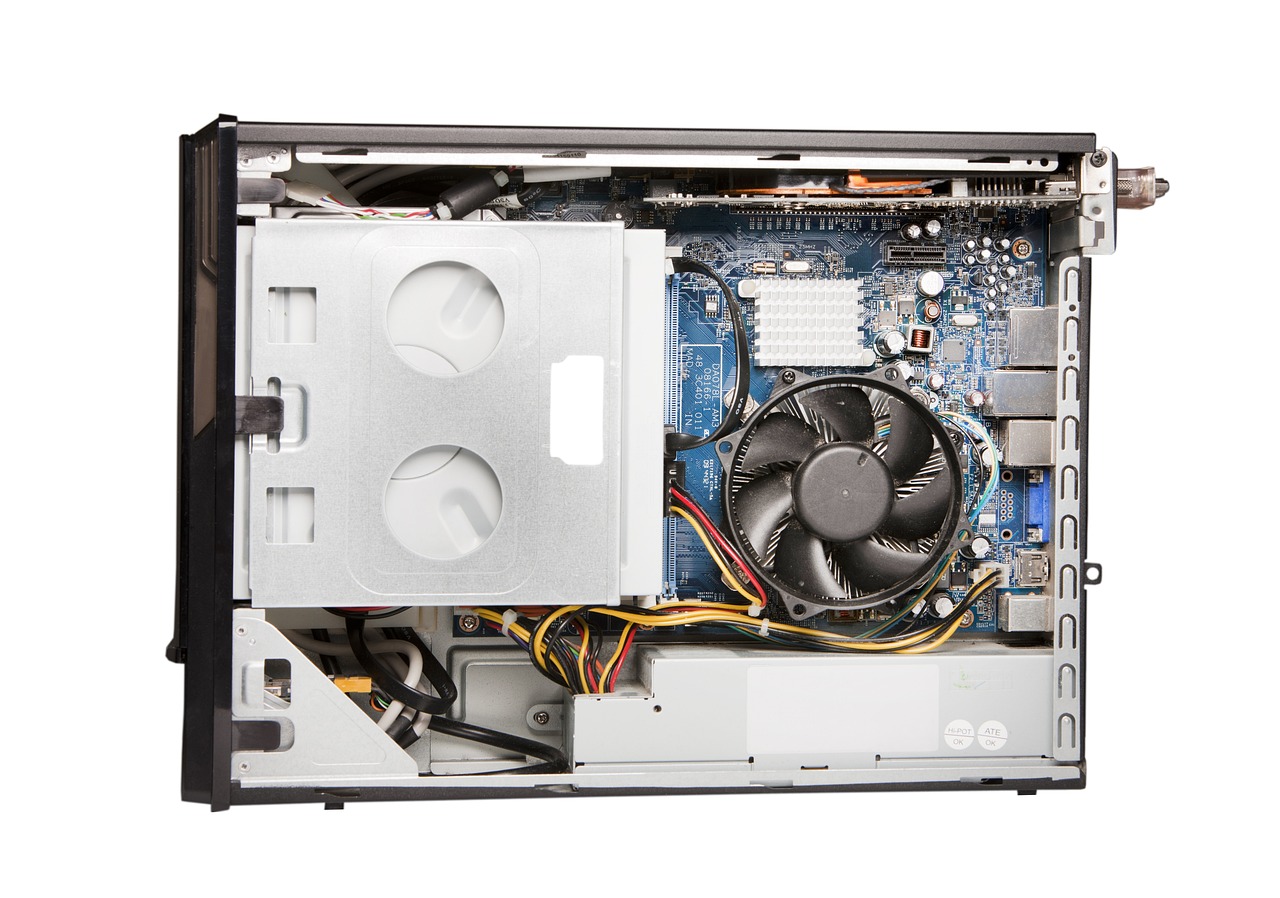
Before completing a purchase, determine whether the target panel features a modular removable radio daughterboard or an integrated modem permanently soldered to the main system board. Systems like the Qolsys IQ Panel 2+ or 2GIG GC3 rely on modular expansion slots or specific model variations built for either AT&T or Verizon LTE networks. Always demand the 15-digit IMEI (International Mobile Equipment Identity) number from the seller prior to buying. You can run this number through an independent DIY alarm monitoring service portal (such as Surety, Alarm Grid, or GEOARM) to verify two vital facts: first, that the radio supports active LTE bands, and second, that the IMEI is not currently locked or registered to an active account under a previous homeowner.
Evaluating Backup Battery Degradation and Replacement Costs
Every commercial and residential security panel includes an internal backup battery designed to maintain full system functionality—including screen power, wireless sensor receiver circuits, internal sirens, and cellular modems—during power outages. Depending on the architecture and age of the panel, these backup power packs utilize sealed lead-acid (SLA), nickel-metal hydride (NiMH), or high-capacity lithium-ion chemistries. All rechargeable batteries undergo irreversible chemical degradation over time, even when stored unused in a climate-controlled warehouse.
When auditing a used security panel, remember that a unit sitting on a liquidator’s shelf for two or three years without receiving a charge drop-feed may suffer from deep voltage discharge. Deeply discharged battery packs lose significant capacity, experience thermal degradation during recharging, and generate perpetual low-battery trouble alerts on the panel display. In severe cases, a degraded battery will prevent the panel from performing necessary OTA (over-the-air) firmware updates, or cause the panel to instantly reboot when attempting a power-intensive cellular transmission during a blackout.
Realistic Battery Replacement Expenses
Replacing an internal backup battery varies in difficulty and expense based on the specific brand and hardware enclosure design:
- Standard Sealed Lead-Acid (SLA) Batteries (Legacy Hybrid Panels): $15 to $35. Highly available at standard battery supply shops, but bulky and heavy.
- Multi-Cell NiMH Pack Assemblies (Touchscreen Keypads): $20 to $40. Requires matching specific multi-pin wire harness connectors and mounting orientations.
- Proprietary Lithium-Ion / Polymer Packs (Modern Touch Panels): $30 to $65. Must match strict voltage specifications, physical bay dimensions, and internal thermal monitoring sensors.
When calculating your total project budget, always add $20 to $50 for a fresh battery pack if purchasing a used control unit. Upon unboxing the panel, immediately open the battery access door, locate the manufacture date stamp on the battery casing, and use a digital multimeter to measure resting DC voltage output before completing permanent wall installation.
Proprietary Dealer Lockouts and Master Code Risks
Software lockouts represent another substantial pitfall when sourcing pre-owned security base stations. Professional security installation companies (such as ADT, Vivint, Brinks, or local regional integrators) often customize panel software with locked dealer profiles. Installers regularly change the default Master Installer Code to a proprietary combination and enable dealer-downline locking flags in system memory. If the previous home occupant terminated service without requesting a full system release, the panel remains software-locked to that specific dealer’s administrative server.
Operating a security panel under an active installer lockout creates major operational hurdles:
- You cannot add, delete, or reconfigure wireless door sensors, window contact switches, or motion detectors.
- You cannot modify central monitoring station IP addresses, receiver phone numbers, or account identification strings.
- You cannot adjust critical system timing parameters, such as entry/exit delay counters or silent alarm settings.
- You cannot perform a hard master factory reset or initiate local firmware upgrades via micro-SD card or local Wi-Fi networks.
Bypassing a hard dealer lock on modern encrypted control hardware without the original code ranges from extremely complex to technically impossible. While older panels (such as legacy Honeywell Vista or 2GIG GC2 systems) feature physical backdoor hardware reset sequences—such as powering down the board and holding down key combination buttons upon power restoration—modern panels like the Qolsys IQ Panel 4 or Resideo ProA7 Plus do not allow backdoor overrides if the software lockdown bit is permanently set by a previous dealer. Always insist that the marketplace seller confirm in writing that the device has been completely unlinked from previous accounts, restored to default factory settings, and that standard master codes (such as 1111, 2222, or 4112) function properly.
Sensor Frequency Lock-In and Legacy Radio Matching
Smart home security control panels do not communicate with peripheral sensors across a single universal wireless standard. Over the last three decades, security hardware developers have engineered proprietary RF protocols operating on distinct, non-interoperable carrier frequencies. Buying a refurbished panel without cross-referencing its installed RF receiver card can leave your existing window sensors, motion detectors, and smoke alarms completely incapable of pairing with the new main board.
| RF Frequency | Primary Compatible Brands | Signal Security Level | Refurbished Considerations & Compatibility |
|---|---|---|---|
| 319.5 MHz | Qolsys, Interlogix, GE Security | Legacy Unencrypted / S-Line Encrypted | Very common in legacy homes; check if panel supports newer S-Line encryption. |
| 345 MHz | 2GIG, Honeywell Home (Resideo) | Legacy Unencrypted / 2GIG eSeries | Extremely widespread; verify whether older panels support encrypted eSeries sensors. |
| 433 MHz | DSC Wireless, System Sensor | Standard Unencrypted | Commonly deployed in commercial hybrid legacy installations. |
| 915 MHz (PowerG) | DSC Neo, Qolsys IQ Series | 128-bit AES Encrypted FHSS | Industry-leading long range; panel must include a native PowerG daughterboard. |
When selecting a replacement panel, match the legacy wireless frequency to your existing hardware setup. For instance, the popular Qolsys IQ Panel 2+ was manufactured in three distinct hardware variations, each identified by a colored strip on the box and internal radio board: gold for 319.5 MHz (Interlogix/GE compatibility), silver for 345 MHz (Honeywell/2GIG compatibility), and red for 433 MHz (DSC compatibility). While all three variants include a secondary 915 MHz PowerG receiver card, their legacy legacy radio slots are mutually exclusive. Ordering the wrong sub-model forces you to choose between replacing every window contact in your home or purchasing expensive external RF frequency translator modules.
Step-by-Step Audit Guide for Receiving Secondhand Panels
When your refurbished alarm panel arrives, execute a methodical bench testing audit before mounting the enclosure to the wall or connecting perimeter sensor wiring. Conducting these preliminary diagnostic checks during your merchant return window protects you from being stuck with unusable hardware.
1. Mechanical & Enclosure Inspection
Carefully unpack the panel and examine the exterior plastics. Inspect plastic mounting tabs, screw terminals, and backplate latches for cracks or missing material. Open the main housing to check circuit trace pathways for corrosion, solder damage, or dark scorch marks around power inputs, which indicate electrical spikes or reversed polarity wiring during prior installations.
2. Bench Power Supply Verification
Connect the included AC transformer or DC power adapter to the main board terminal blocks using short length copper jumper wires before plugging the unit into wall outlet power. Do not perform initial diagnostic setups on backup battery power alone. Double check the original transformer labeling to ensure output voltage matches system input requirements (e.g., 5.5V DC, 9V DC, 12V DC, or 16.5V AC). Supplying improper voltage to sensitive logic boards will permanently damage internal charging circuits.
3. Code Reset and Installer Menu Access
Allow the panel to complete its full boot cycle. Access the system settings menu and attempt to enter system configuration using standard default codes (such as 1111 or 2222 for Qolsys; 1561 or 2222 for 2GIG; 4112 for Honeywell). If the unit rejects factory default credentials, contact the merchant immediately to request the working installer code. If the seller cannot supply a valid code or guide you through a successful hardware reset, return the device.
4. Cellular Radio & Account Provisioning Audit
Navigate to the system diagnostic or network information screens to locate the panel’s 15-digit cellular IMEI or MEID number. Enter this identifier into an authorized DIY security portal check tool to confirm the module is fully released from prior central station databases. If the system reports that the module is “Active on Another Account,” contact the seller for immediate replacement, as an active account lock prevents registering the panel with a new monitoring service provider.
5. Battery Load & Power Failure Simulation
Leave the control panel plugged into continuous AC power for 24 hours to ensure the internal backup battery reaches full capacity. Following the charging period, unplug the primary power transformer while leaving the touchscreen display fully illuminated. The panel should transition to battery power without restarting or flickering. Monitor system status for 30 minutes; if a “Low Battery” trouble alert generates shortly after power disconnect, the internal battery pack has deteriorated and requires replacement.
Common Buyer Mistakes and Practical Prevention
Even experienced DIY homeowners often fall into costly traps when sourcing secondhand alarm equipment online. Avoiding these common mistakes will save time, effort, and money during your system build:
- Assuming Proprietary Closed Systems Are Unlocked: Closed-ecosystem platforms from companies like Ring or SimpliSafe are tightly paired to original owner cloud accounts. A secondhand SimpliSafe base station cannot be activated on third-party monitoring networks, and a blacklisted Ring base station will be blocked entirely by customer service servers.
- Buying Units Missing Backplates or Terminal Blocks: Liquidators frequently strip panels off walls without removing mounting backplates, wire terminals, or modular radio antennas. Sourcing custom replacement plastic backplates individually can be frustrating and expensive. Ensure all original mounting accessories are included in the sales listing.
- Attempting to Use Generic Power Transformers: Replacing a missing manufacturer power supply with an off-the-shelf, low-cost USB transformer or unrated power adapter causes voltage drops. Insufficient power supply amperage causes touchscreen unresponsiveness, false low-battery alerts, and unreliable cellular transmission.
- Ignoring Cellular Sunset Roadmaps: Purchasing early LTE communicators that lack modern carrier band support risks unexpected service interruptions. Prioritize modern multi-band LTE radios or dual-path systems receiving active firmware maintenance.
Frequently Asked Questions
Can I transfer an existing manufacturer warranty on a security panel if I buy it secondhand?
No. Virtually all major security hardware manufacturers explicitly state in their warranty terms that coverage applies exclusively to the original end-user purchaser who bought the item from an authorized dealer. Warranties do not transfer across private resales, online auction transactions, or unauthorized marketplace liquidations.
What should I do if my refurbished panel shows an “IMEI Already Registered” error?
An IMEI registration error means the panel’s cellular radio is still linked to an active account managed by a previous homeowner or alarm company. The previous dealer must release the IMEI from their management portal (such as Alarm.com or Resideo Total Connect). If the seller cannot arrange an IMEI release through the original provider, the cellular modem cannot be activated and the unit must be returned.
How can I tell if an alarm panel’s backup battery needs replacement?
Charge the panel on AC power for a full 24 hours, then disconnect the main power transformer. If the screen shuts off immediately, reboots, or displays a low-battery system fault within 30 to 60 minutes of running on battery power, the battery pack has lost its functional capacity and needs to be replaced.
Is it safe to purchase locked security panels and reset them using backdoor tricks?
It is generally risky. While older analog and early digital panels often featured physical hardware jumper resets, modern encrypted touchscreen panels utilize secure flash memory flags. If a modern panel has a permanent dealer lock bit set in its firmware, backdoor reset procedures will not work, leaving you with an unusable control panel.
Final Decision Framework: When Refurbished Hardware Makes Sense
Opting for a refurbished smart home security panel makes solid practical sense under specific conditions. It serves as a cost-effective choice when replacing a damaged control board in an existing system, or when setting up a local, unmonitored chime system using existing peripheral sensors. Sourcing pre-owned equipment is also viable when buying from a specialized DIY security vendor who explicitly guarantees clean cellular IMEIs, pre-cleared installer codes, fresh internal batteries, and a flexible return policy.
Conversely, purchase brand-new equipment through authorized retail channels if you require a full multi-year manufacturer warranty, need immediate professional monitoring activation without hardware troubleshooting, or prefer not to perform bench diagnostic tests, voltage checks, and system resets yourself. Balancing upfront savings against potential technical risks ensures your smart home security ecosystem delivers continuous, reliable protection for your home.